







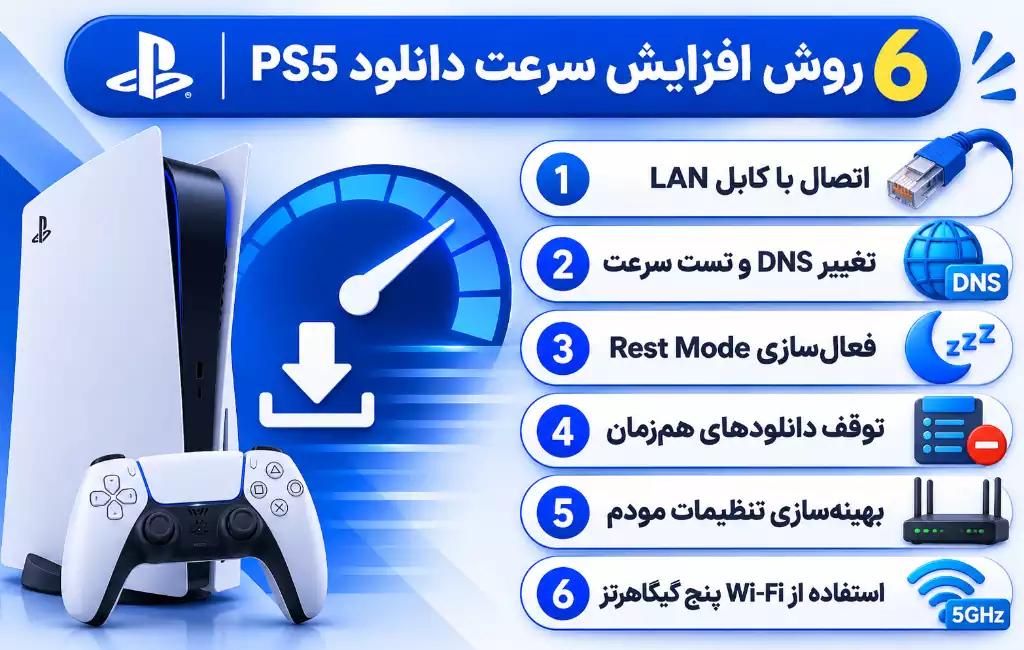
There are several ways to speed up PS5 downloads, each of which can help improve connection speed or stability. In the table below, we have summarized the most effective solutions and the possible impact of each.


method | Possible impact | offer |
LAN cable | Increasing stability and reducing volatility | very suitable |
Change DNS | Possible improvement of network responsiveness | It is worth a try |
Rest Mode | Continue downloading in low power mode | It is recommended |
Stop simultaneous downloads | Allocation of bandwidth to a download | effective |
Modem setting | Improve connection quality | It is recommended |
Five GHz Wi-Fi | Reduce interference under appropriate conditions | appropriate |
for Increase download speed PS5 It is better to stabilize the Internet connection first and then change the DNS settings. Using a LAN cable, stopping simultaneous downloads and enabling Rest Mode can also help better download management.
Use a LAN cable instead of Wi-Fi
One of the best ways to increase PS5 download speed is to use a LAN network cable. Wireless connection may be affected by distance from modem, walls, and wave interference. A LAN cable provides a more direct connection and usually makes the internet more stable when downloading large games.
Advantages of using a LAN cable:
- Reduce fluctuation of internet connection
- Reduce network latency
- Avoid interference of Wi-Fi waves
- More stability when downloading games
- Suitable for receiving bulk updates
Steps to connect LAN cable to PS5:
- Connect the network cable to the modem and the console.
- Enter Settings.
- Select the Network option.
- Enter Settings and then Set Up Internet Connection.
- Select the Set Up Wired LAN option.
- Establish the connection and check it with the Test Internet Connection option.
If you can’t use a cable, place the console near the modem and try 5 GHz Wi-Fi if supported.
Change DNS and check its effect
Changing DNS is one of the most popular ways to increase PS5 internet speed. DNS is responsible for converting domain names to IP addresses and helps the device find the desired servers. Using the right DNS may reduce the response time of network requests and improve connectivity to online services. Of course, DNS does not directly increase internet speed or bandwidth. Therefore, if the problem is the limitation of the Internet service or the congestion of the PlayStation servers, changing the DNS does not necessarily make the download faster.
The best DNS for PS5 downloads
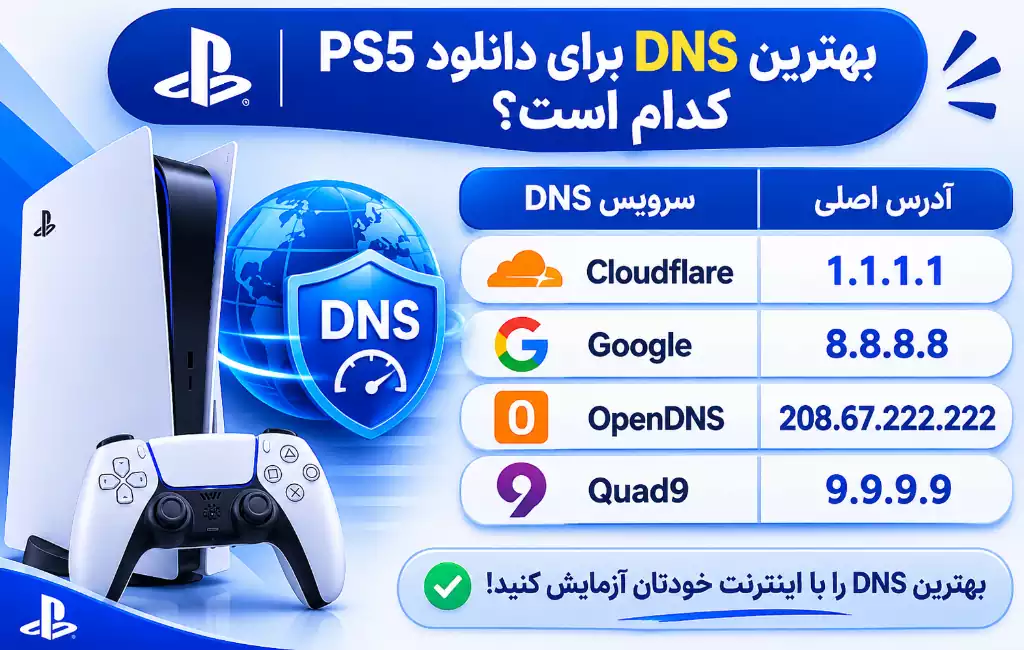
There are several well-known public DNS services that you can test on your console.
name DNS | Main address | Sub address |
Cloudflare | 1.1.1.1 | 1.0.0.1 |
8.8.8.8 | 8.8.4.4 | |
OpenDNS | 208.67.222.222 | 208.67.220.220 |
Quad9 | 9.9.9.9 | 149.112.112.112 |
Cloudflare DNS
Cloudflare is one of the well-known public DNS services.
- Fast response to DNS requests
- Extensive infrastructure
- Focus on privacy
- Free use
Google DNS (Google Public DNS)
Google provides public DNS service with 8.8.8.8 and 8.8.4.4 addresses.
- Extensive infrastructure
- Good stability on many networks
- Easy setup on PS5
- Free use
DNS OpenDNS (OpenDNS)
This service can be used with the addresses 208.67.222.222 and 208.67.220.220 and has facilities for managing and filtering internet requests.
DNS کواد۹ (Quad9)
Quad9 is known by the addresses 9.9.9.9 and 149.112.112.112. In addition to DNS services, this service has security capabilities to deal with malicious domains. The important thing is that the best DNS for PS5 downloads is not the same for all users. Internet quality, service provider company and communication path affect DNS performance.
How to set up DNS on PS5
You don’t need to install an external program to change DNS.
As in The best DNS for PlayStation It is mentioned:
The steps to set up the best dns for ps5 are the same as setting up dns for playstation 4. In both cases, after entering the Set Up Internet Connection section, you must remove DNS settings from automatic mode and set them to manual settings (Advanced Settings). Then, from the DNS provided in the above paragraphs, enter the primary and secondary DNS to change the DNS and speed up your game.
Steps to set up DNS on PS5:
- Enter Settings.
- Select the Network option.
- Enter Settings.
- Select the Set Up Internet Connection option.
- Find your internet network.
- Press the Options button on the controller.
- Enter Advanced Settings.
- Change the DNS Settings option from Automatic to Manual.
- Enter the primary DNS address in Primary DNS.
- Write the second address in Secondary DNS.
- Confirm the settings.
- Check the connection by selecting Test Internet Connection.
In this way, the DNS setting is done on PS5.
How to choose the best DNS?
Test a few different services to find the best option:
- First, check the download speed with the default DNS.
- Enter the Cloudflare addresses.
- Do a test download.
- Repeat the same steps with Google DNS.
- Compare the result with OpenDNS or Quad9.
- Choose the service that works best on your internet.
Tip: In Iran, a DNS may work well on one company’s internet, but be slow on another company’s internet. Also, do not use anonymous and invalid DNS.
Download the game in Rest Mode
Rest Mode allows you to put the console in a low power mode and continue downloading games if the Internet settings are enabled. This feature does not increase the actual internet speed, but it is useful for downloading games on PS5 without leaving the device fully powered on.
How to enable download in Rest Mode
- Enter Settings.
- Select the System option.
- Enter Power Saving.
- Open the Features Available in Rest Mode option.
- Enable Stay Connected to the Internet.
- If needed, check the Automatic Updates settings as well.
- Select Enter Rest Mode from the Power section.
Advantages of this method:
- Continue downloading in low power mode
- Reducing the need to keep the console fully on
- Automatically receive some updates
- Better management of long downloads
Stop simultaneous downloads and active programs
If several games are downloaded at the same time, the Internet bandwidth is divided between them. To increase the download speed of PlayStation 5 games, it is better to stop unnecessary downloads.
Steps to manage downloads:
- Press the PS button on the controller.
- Enter the Downloads/Uploads section.
- Check for active downloads.
- Pause unnecessary files.
- Continue the original download.
- Once it’s done, enable other downloads.
Practical tips:
- Do not download several large games at the same time.
- Close unnecessary internet programs.
- Check the download of other devices connected to the modem.
- Avoid streaming high quality video while downloading.
Check modem and internet settings
Sometimes the reason for the slow download of PS5 is related to the modem or the quality of the internet. Therefore, it is better to check the home network settings as well.
Suggested actions:
- Place the modem in a suitable and high place.
- Avoid placing the modem behind thick walls.
- Reduce the number of devices connected to the Internet.
- If possible, use a LAN cable.
- Update your modem’s firmware.
- Make sure the network cable is healthy.
Choosing the right Wi-Fi band
New modems usually support 2.4 and 5 GHz frequencies.
Feature | ۲.۴ GHz | ۵ GHz |
win | more | less |
Potential speed | lower | higher |
interference | Usually more | Usually less |
Application | long distance | short distance |
If the PS5 is located near the modem, the 5 GHz band can be a good choice.
Check real internet speed
Internet speed is usually expressed in Mbps, but download speed may be expressed in MB/s. Every 8 Mbps is roughly equal to 1 MB/s. For example, 80 MB internet in ideal conditions can have a download speed of about 10 MB/s.
Check and fix PS5 slow download problems
If the previous methods do not solve the problem, check the following.
Checking the status of PSN servers
Sometimes the malfunction of the PlayStation servers reduces the download speed. In this situation, changing DNS or modem may have no effect. Use the official PlayStation Network Status page to check the status of services.
Restart the modem and console
- Stop the active download.
- Restart the console.
- Turn off the modem.
- Wait about five minutes.
- Turn on the modem.
- After the Internet is established, turn on the console.
- Resume the download.
Check storage space
Lack of free space may cause problems when downloading or installing games.
- Enter Settings.
- Select the Storage option.
- Check the free space.
- Delete unnecessary games and files if needed.
Update system software
To check the console software version:
- Enter Settings.
- Select the System option.
- Enter System Software.
- Open System Software Update and Settings.
- Update the console if there is a new version.
Additional tips to increase game download speed on PS5
A few other solutions can also help improve the download experience:
- Download in quiet hours: During peak hours, the network is more likely to be congested.
- Checking the internet package: Check the volume or speed limit of your service.
- Use a healthy cable: A faulty cable may cause connection problems.
- Checking the communication path: The quality of the connection with the PSN servers affects the download speed.
- Internet usage management: Stop downloading on other devices when you get the game.
Official recommendation Poly station
In Sony’s official manual, to fix the NW-102315-2 communication error, it is recommended to use a wired connection, bring the console closer to the modem, and restart the modem. Temporary change of DNS is also introduced as one of the possible solutions.
Restart your PlayStation®5 console, and connect to the Internet using a wired connection as much as possible. And configure the network settings again.
Restart your PlayStation®5 console and connect to the Internet using a wired connection whenever possible. Then reconfigure the network settings.
summary
for Increase download speed PS5 First, use a LAN cable and stop simultaneous downloads. Then experiment with Cloudflare and Google DNS to find the best option for your internet. Enabling Rest Mode and optimizing modem settings also helps to better manage downloads. Do not forget that the final speed depends on the quality of the Internet and the state of the PlayStation servers.
Frequently asked questions
- the best DNS to download PS5 which is
Cloudflare at 1.1.1.1 and Google at 8.8.8.8 are well-known options. It is better to try both and measure the result with your internet.
- Do change DNS Does it increase download speed? Changing DNS may improve the responsiveness of network requests, but it does not directly increase Internet bandwidth.
- came Rest Mode Does it increase the download speed? no This mode does not increase the speed of the Internet, but it provides the possibility to continue downloading in a low-power state.
- Kabul LAN Is it better or Wi-Fi؟ A LAN cable usually has a more stable and less fluctuating connection. Five GHz Wi-Fi is also a good option at a reasonable distance from the modem.
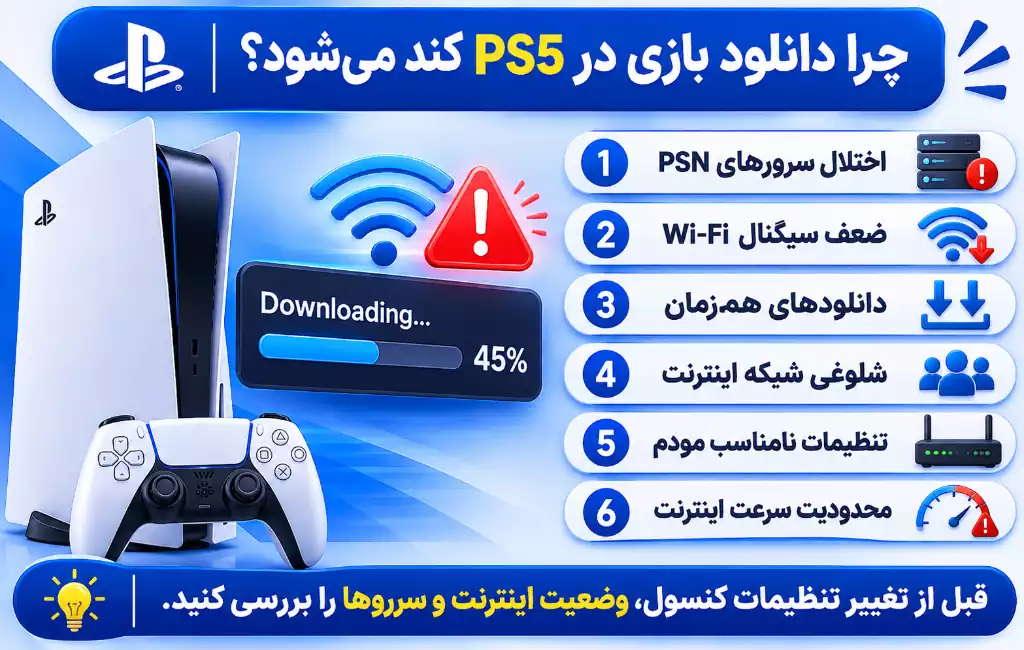
- Why the download speed? PS5 Does it suddenly decrease? Network congestion, PSN servers malfunction, weak Wi-Fi signal, simultaneous downloading and modem problems are possible reasons.
- Why is the download speed of the console lower than the internet speed? The difference between Mbps and MB/s units, destination server limitations and network conditions can cause this difference.
- Does running the game while downloading slow it down? Some online games may use bandwidth. It is better to close unnecessary programs and internet games while downloading.
- What to do if the download of the game stops? Check internet connection, status of PSN servers and storage space. Then restart the modem and console.













گفتگو در مورد این post